Python实现全国油价查询(API)

AI摘要
由  Deepseek提供支持
Deepseek提供支持接口来源:https://www.ylapi.cn
其实这个网站也有好多免费的API地址,大家可以去使用它,大部分都是 1000次/天,这个调用次数基本上是够用了。
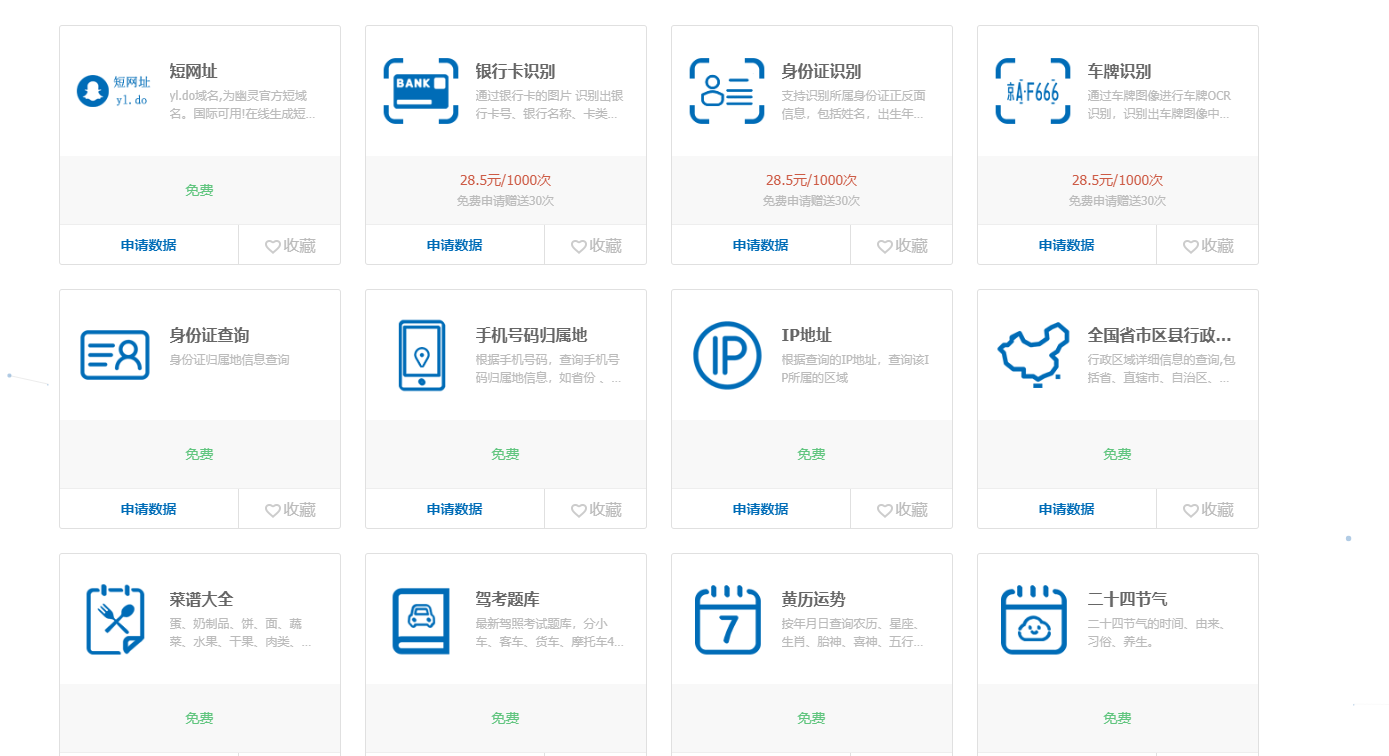
最近几年这个油价也是越来越高了,然后呢为了能够实时了解当前的一个油价范围呢,我就趁着周末的时候写了些利用第三放api接口写了一个实时显示的油价查询页面,一个是网页版的,另一个是Python编写的。
这个网页版是基于PHP+Boostrap 网页版链接:https://api.8i5.net/oil 直接进入正题吧。
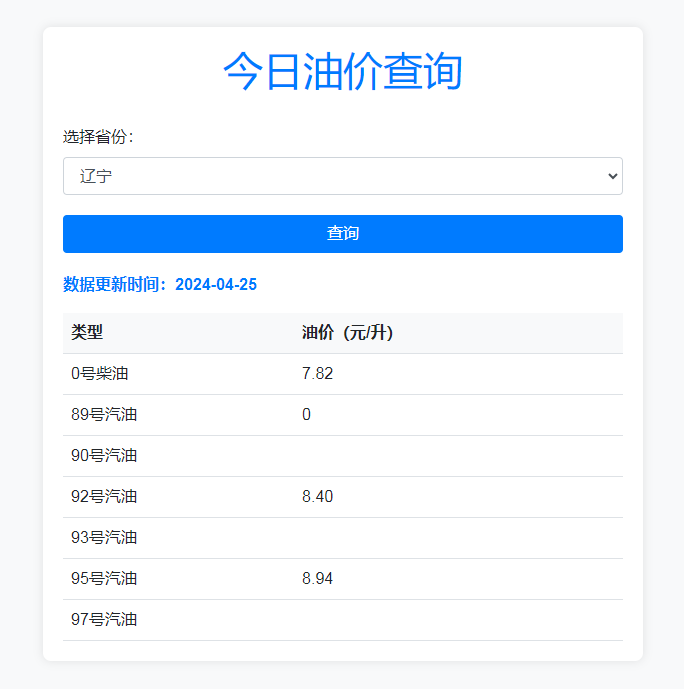
正题: python 调用三方API实现实时查询油价查询窗口(GUI)
1.导入模块:
import tkinter as tk
from tkinter import ttk
import requests
from datetime import datetime
tkinter和ttk用于创建 GUI 界面。requests用于进行 HTTP 请求,从 API 获取数据。datetime用于处理日期时间。
2.定义获取油价函数:
def fetch_oil_price():
    selected_province = province_var.get()
    uid = ''
    appkey = ''
    url = 'http://oil.ylapi.cn/todayoil/info.u'
    params = {
        'uid': uid,
        'appkey': appkey,
        'prov': selected_province
    }
    response = requests.post(url, data=params)
    print(response.text)  # 打印响应内容

    data = response.json()
    if 'code' in data:
        if data['code'] == '1000':
            oil_prices = data['data']
            update_time_str = oil_prices['ct']
            update_time = datetime.strptime(update_time_str, '%Y-%m-%d %H:%M:%S.%f')
            update_time_formatted = update_time.strftime('%Y-%m-%d')

            update_time_label.config(text=f"数据更新时间:{update_time_formatted}")

            for widget in oil_price_frame.winfo_children():
                widget.destroy()

            ttk.Label(oil_price_frame, text="类型").grid(row=0, column=0)
            ttk.Label(oil_price_frame, text="油价(元/升)").grid(row=0, column=1)

            row_num = 1
            for key, value in oil_prices.items():
                if key.startswith('p'):
                    type_name = key.replace('p', '') + "号" + ("柴油" if key == 'p0' else "汽油")
                    ttk.Label(oil_price_frame, text=type_name).grid(row=row_num, column=0)
                    ttk.Label(oil_price_frame, text=value).grid(row=row_num, column=1)
                    row_num += 1
        else:
            error_label.config(text=f"获取油价失败:{data['msg']}")
    else:
        error_label.config(text="获取油价失败:未收到有效的响应。")
- `
fetch_oil_price()函数用于从 API 获取油价数据,并更新 GUI 界面。 - 首先,获取用户选择的省份,并构建请求参数。
- 发送 POST 请求到 API,并获取响应内容。
- 解析 JSON 格式的响应数据。
- 如果响应数据中包含
'code'键,判断是否为成功状态码'1000'。 - 如果成功,则解析油价数据并更新 GUI 界面。
- 如果失败,则显示错误消息。
3.创建主窗口和框架:
root = tk.Tk()
root.title("今日油价查询")

main_frame = ttk.Frame(root)
main_frame.pack(padx=20, pady=20)
- 创建主窗口和一个
ttk框架。
4.创建省份选择组合框和查询按钮:
province_label = ttk.Label(main_frame, text="选择省份:")
province_label.grid(row=0, column=0, padx=10, pady=10)

provinces = [
    "北京", "天津", "河北", "山西", "内蒙古", "辽宁", "吉林", "黑龙江",
    "上海", "江苏", "浙江", "安徽", "福建", "江西", "山东", "河南",
    "湖北", "湖南", "广东", "广西", "海南", "重庆", "四川", "贵州",
    "云南", "西藏", "陕西", "甘肃", "青海", "宁夏", "新疆", "台湾",
    "香港", "澳门"
]
province_var = tk.StringVar()
province_combobox = ttk.Combobox(main_frame, textvariable=province_var, values=provinces)
province_combobox.grid(row=0, column=1, padx=10, pady=10)
province_combobox.current(0)

fetch_button = ttk.Button(main_frame, text="查询", command=fetch_oil_price)
fetch_button.grid(row=0, column=2, padx=10, pady=10)
- 创建一个标签、一个组合框和一个按钮,用于选择省份和触发查询操作。
5.创建数据显示标签和错误消息标签:
update_time_label = ttk.Label(main_frame, text="")
update_time_label.grid(row=1, column=0, columnspan=3)

oil_price_frame = ttk.Frame(main_frame)
oil_price_frame.grid(row=2, column=0, columnspan=3, padx=10, pady=10)

error_label = ttk.Label(main_frame, text="")
error_label.grid(row=3, column=0, columnspan=3)
- 创建一个标签,用于显示数据更新时间。
- 创建一个框架,用于显示油价数据。
- 创建一个标签,用于显示错误消息。
6.运行主事件循环:
root.mainloop()- 启动 Tkinter 主事件循环,监听用户操作并响应。
7.完整代码:
import tkinter as tk
from tkinter import ttk
import requests
from datetime import datetime

def fetch_oil_price():
    selected_province = province_var.get()
    uid = ''
    appkey = ''
    url = 'http://oil.ylapi.cn/todayoil/info.u'
    params = {
        'uid': uid,
        'appkey': appkey,
        'prov': selected_province
    }
    response = requests.post(url, data=params)
    print(response.text)  # 打印响应内容

    data = response.json()
    if 'code' in data:
        if data['code'] == '1000':
            oil_prices = data['data']
            update_time_str = oil_prices['ct']
            update_time = datetime.strptime(update_time_str, '%Y-%m-%d %H:%M:%S.%f')
            update_time_formatted = update_time.strftime('%Y-%m-%d')

            update_time_label.config(text=f"数据更新时间:{update_time_formatted}")

            for widget in oil_price_frame.winfo_children():
                widget.destroy()

            ttk.Label(oil_price_frame, text="类型").grid(row=0, column=0)
            ttk.Label(oil_price_frame, text="油价(元/升)").grid(row=0, column=1)

            row_num = 1
            for key, value in oil_prices.items():
                if key.startswith('p'):
                    type_name = key.replace('p', '') + "号" + ("柴油" if key == 'p0' else "汽油")
                    ttk.Label(oil_price_frame, text=type_name).grid(row=row_num, column=0)
                    ttk.Label(oil_price_frame, text=value).grid(row=row_num, column=1)
                    row_num += 1
        else:
            error_label.config(text=f"获取油价失败:{data['msg']}")
    else:
        error_label.config(text="获取油价失败:未收到有效的响应。")

root = tk.Tk()
root.title("今日油价查询")

main_frame = ttk.Frame(root)
main_frame.pack(padx=20, pady=20)

province_label = ttk.Label(main_frame, text="选择省份:")
province_label.grid(row=0, column=0, padx=10, pady=10)

provinces = [
    "北京", "天津", "河北", "山西", "内蒙古", "辽宁", "吉林", "黑龙江",
    "上海", "江苏", "浙江", "安徽", "福建", "江西", "山东", "河南",
    "湖北", "湖南", "广东", "广西", "海南", "重庆", "四川", "贵州",
    "云南", "西藏", "陕西", "甘肃", "青海", "宁夏", "新疆", "台湾",
    "香港", "澳门"
]
province_var = tk.StringVar()
province_combobox = ttk.Combobox(main_frame, textvariable=province_var, values=provinces)
province_combobox.grid(row=0, column=1, padx=10, pady=10)
province_combobox.current(0)

fetch_button = ttk.Button(main_frame, text="查询", command=fetch_oil_price)
fetch_button.grid(row=0, column=2, padx=10, pady=10)

update_time_label = ttk.Label(main_frame, text="")
update_time_label.grid(row=1, column=0, columnspan=3)

oil_price_frame = ttk.Frame(main_frame)
oil_price_frame.grid(row=2, column=0, columnspan=3, padx=10, pady=10)

error_label = ttk.Label(main_frame, text="")
error_label.grid(row=3, column=0, columnspan=3)

root.mainloop()
最后可以使用 pip3 install pyinstaller 打包成exe格式.
成品软件windows: https://img.8i5.net/APP/oil.exe


温馨提示 : 非特殊注明,否则均为©李联华的博客网原创文章,本站文章未经授权禁止任何形式转载;来自:俄亥俄州·哥伦布 ,欢迎您的访问!
文章链接:https://www.lilianhua.com/implementing-national-oil-price-query-api-using-python.html
文章链接:https://www.lilianhua.com/implementing-national-oil-price-query-api-using-python.html